How I Turned My Old Pixel 6a Into a Reliable Garage Security Camera with Rige Cam
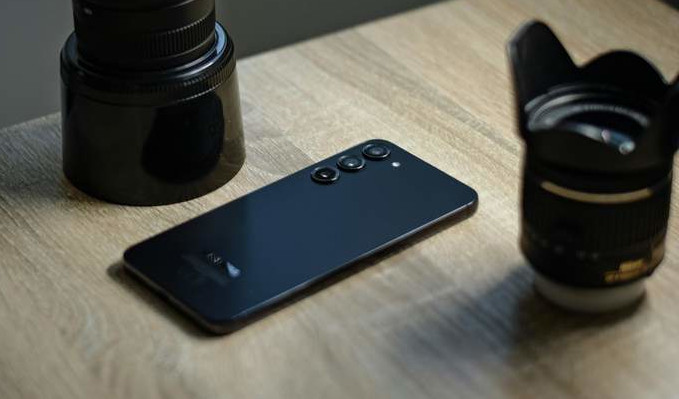
My Google Pixel 6a had been sitting in a drawer for eight months. Too good to throw away, not worth enough to trade in - the classic old-phone limbo that millions of people know well.
Then I tried something different. I installed Rige Cam, propped the Pixel 6a on a garage shelf, and had a live security camera running in under 10 minutes. No new hardware. No subscription fee. Here's exactly how the setup went, what surprised me, and why I'm still using it three weeks later.
Setup: Genuinely 10 Minutes, Start to Finish
If you've ever suffered through an IP camera's web configuration page or spent an afternoon on port forwarding, Rige Cam's setup feels almost suspiciously simple by comparison.
I installed the app on the Pixel 6a, granted the camera and microphone permissions it asked for, typed in a name - "Garage Cam" - and plugged the phone into a charger. By the time I opened the Rige Cam dashboard on my laptop that evening, the feed was already there: live, clear, and ready to go.
No router configuration. No QR codes that refuse to scan. No creating a separate account just to view your own camera. The whole process was done before I finished my morning coffee.
The Pixel 6a started on the free tier, which covers up to two cameras with no credit card required. There was genuinely nothing to lose by trying it.
On-Device AI: The Feature That Actually Makes It Worth Using
This is where Rige Cam surprised me most - and where it differs most from other DIY security camera setups.
Most budget camera apps flood you with motion alerts for clouds, shadows, and your own car pulling into the driveway. Rige Cam's AI runs entirely on the phone itself, which means no video footage is uploaded to a remote server just to figure out whether something matters. That's a real, structural privacy advantage - not just a policy statement.
In practice, the scene learning kicked in fast. Within a day or two, the system stopped alerting me every time I pulled into my own driveway. But when my neighbor's kid wandered near my tool bench - well outside my usual movement pattern - I got an instant notification with a clear thumbnail.
That's the filtering that makes a security camera actually useful. Because the AI runs locally, alerts arrive in 2-4 seconds with no round-trip to a cloud server, and your footage stays on your network by default.
One Dashboard for Everything - Including Professional Cameras
Three weeks in, the Pixel 6a is still running cool around the clock. I plug it in, leave it alone, and it just works.
What I didn't expect to appreciate as much was the unified dashboard. I also have a Hikvision ONVIF camera covering my front gate - a proper professional outdoor unit - and both cameras appear side by side in the same interface, with a single shared timeline and one combined alert feed.
No switching between apps. No juggling separate systems with different UIs. The Rige Cam dashboard treats a repurposed Android phone and a professional RTSP/ONVIF camera as equals, which is something most IP camera viewers don't come close to pulling off.
If you're planning to start with one old phone and eventually add a dedicated outdoor camera, this is worth knowing upfront: you won't have to migrate anything or change platforms when that day comes.
Pro Tips I Learned the Hard Way
A few things that would have saved me some trial and error:
Use a proper wall adapter, not a laptop USB port. Stable, sufficient power keeps the phone from throttling its processor overnight, which matters for consistent AI performance and 24/7 uptime.
Enable "Stay Awake While Charging" in Android's Developer Options. Without this, the screen timeout can occasionally interfere with the feed on certain Android builds. It takes 30 seconds to set up and prevents a subtle but annoying issue.
Angle the phone slightly downward on the shelf. Even a 10-15 degree downward tilt dramatically improves your field of view for capturing faces and activity at floor level. A small adhesive phone holder from any online marketplace handles this cleanly without drilling anything.
Is It Worth Doing?
If you have an old Android phone sitting unused - a Pixel, a Samsung Galaxy, a Motorola Moto G, almost anything from 2016 onward - the answer is almost certainly yes.
Turning it into a security camera with Rige Cam costs nothing to start, takes under 10 minutes, and gives you a genuinely capable monitoring setup: on-device AI that filters false alerts, a privacy-first architecture that keeps footage local, and a unified dashboard that scales cleanly as you add more cameras - including professional ONVIF units - without ever feeling cluttered or cobbled together.
The Pixel 6a I wrote off as worthless is now one of the most useful things in my garage.
Start for free at rige.io - two cameras, no credit card, no time limit.